Wuthering Waves
Planejado
Dialogos do jogo traduzidos e mostrados na tela enquanto voce joga. Sem mods, sem alteracao de arquivos.
Windows 10/11 · 64-bit · ~150 MB Already have an account?

Kaption rodando no Genshin Impact
Estes jogos ja funcionam. Mais estao a caminho.
Checked 2026-08-19 Translations stay current with every patch. If something feels off after a game update, check here first.
7.0 Everwinter Without Mercy · Snezhnaya
Works with Genshin Impact 7.0. Snezhnaya quests, dialogue, and events are included in the current translation pack.
4.2 So Laughed the Masses
Works with the current Star Rail patch. Story and cutscenes all translated.
3.1 The Long Goodbye
Works with the current Zenless Zone Zero patch. Main story, Agent Stories, and event dialogue are covered by the translation pack.
Planejado
Planejado
Mais idiomas a caminho
What Kaption is
Kaption is a Windows subtitle overlay for real-time game translation. It displays translated subtitles for story-heavy games such as Genshin Impact, Honkai: Star Rail, and Zenless Zone Zero using OCR and dialogue matching, without modifying game files or injecting code.
Players who want to follow long quests, events, cutscenes, NPC dialogue, and dialogue choices without pausing the game to copy text into a generic translator.
Kaption supports Genshin Impact, Honkai: Star Rail, and Zenless Zone Zero today. Other story-heavy games are future targets, not current support claims.
Kaption is currently starting with Polish subtitle support. It is built for multilingual game subtitles over time, but it does not claim unsupported output languages today.
Kaption is game-aware: it combines screen OCR with dialogue matching and conversation context, aiming for readable in-game subtitles instead of translating random screen fragments from scratch.
Guides
Setup help, game-specific subtitle pages, safety notes, and a careful space for news or leaks.
 Genshin Impact 7.0
 Genshin Impact 7.0 and Snezhnaya: release date, Odette, Alyosha, new reactions, exploration, events, and quality-of-life changes—spoiler-free.
Read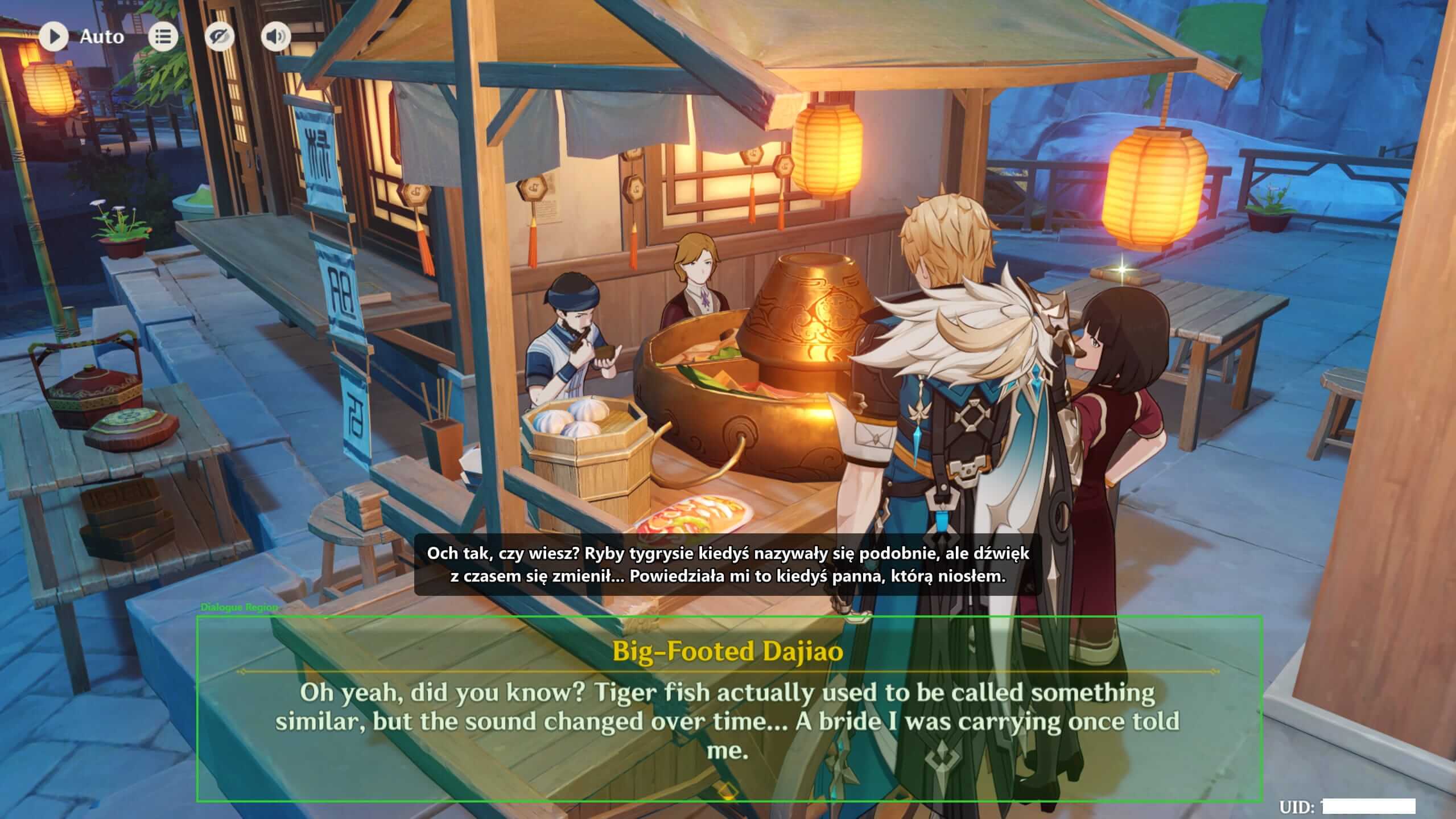 Setup
Setup Install Kaption, open your Hoyoverse game, choose the dialogue region, and check that the subtitle overlay stays out of the OCR area.
Read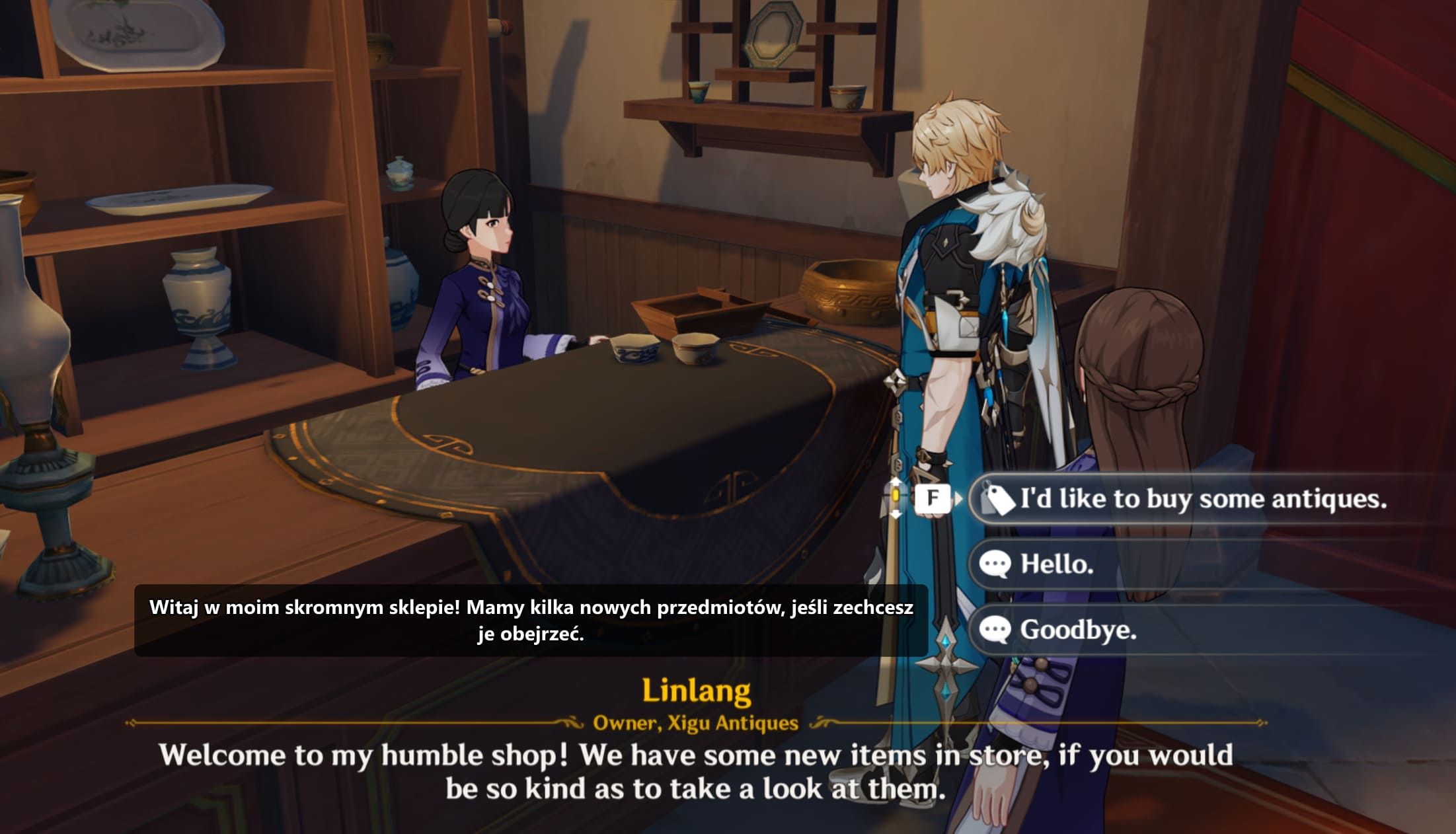 Genshin Impact
 Use Kaption as a Genshin Impact translation overlay for quests, events, NPC dialogue, choices, and cutscenes. Starting with Polish subtitles, without mods.
Read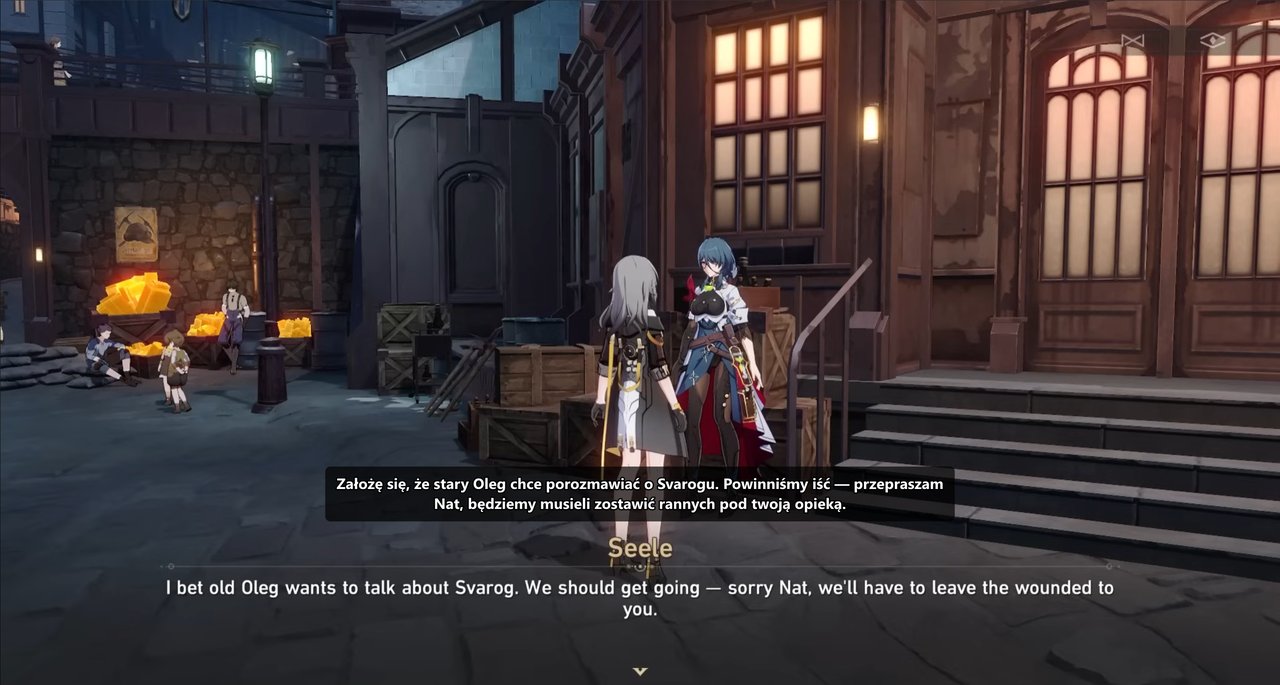 Honkai: Star Rail
 Use Kaption as a Honkai: Star Rail subtitle translation overlay for story scenes, NPC dialogue, events, and long text-heavy quests. Starting with Polish support.
ReadTudo automatico. Voce so joga.
OCR le o texto dos dialogos direto da janela do jogo.
Compara o texto OCR com um hashmap de mais de 100.000 linhas de dialogo. O caminho rapido SymSpell resolve correspondencias exatas em 5µs, com matching fuzzy ponderado por OCR como fallback.
Uma pequena sobreposicao mostra o texto traduzido na tela, exatamente onde voce precisa.
Um grafo de dialogo acompanha o fluxo da conversa. As proximas falas sao pre-cacheadas para que as traducoes aparecam instantaneamente com erro de OCR quase zero.
A traducao aparece antes do jogo terminar de digitar a fala. O OCR e ajustado para as fontes da Hoyoverse, e o dicionario embutido nao precisa de internet — correspondencia instantanea.
A sobreposicao deixa os cliques passar. Voce joga normalmente.
Correspondencia inteligente para que erros como "l" vs "1" nao atrapalhem.
Funciona como um app de captura de tela. Le os pixels da sua tela, sem tocar em arquivos do jogo, memoria ou trafego de rede. Sem injecao de codigo, sem hooking de processos. O anti-cheat nao tem o que detectar porque a ferramenta nunca interage com o jogo.
Non-invasive by design
Kaption is designed as a screen-based overlay: it reads pixels from a user-selected region and draws translated subtitles on the desktop. It does not modify game files, inject code, read game memory, or automate gameplay. No third-party tool can promise zero account risk, but the technical boundary is clear.
Release files are verifiable. Public VirusTotal scans and SHA-256 hashes help you check that the installer matches the file Kaption publishes.
No injection, hooks, or memory reads. The app reads visible screen text and shows subtitles in a separate overlay window. Your game installation stays untouched.
Independent project. Kaption is not affiliated with HoYoverse, Cognosphere, or miHoYo. Game names are used only to identify supported titles.
Source code
The desktop client source is being opened under AGPL-3.0, with a commercial licence option. You can inspect how capture, OCR, updates, crash reporting, and licence checks work before you trust the installer.
Audit the desktop client. Screen capture, OCR, overlay rendering, update checks, and local settings live in code you can read.
Clear boundaries. The official API, release pipeline, and proprietary translation packs are operated separately from the public client repository.
Forks have rules. AGPL-3.0 covers open forks; commercial use has a separate licence, and forks need their own name and icon.
Short answers to the questions players and AI search systems ask before installing.
Kaption is a Windows subtitle overlay for real-time game translation. It reads visible game dialogue with OCR, matches it against game dialogue data, and displays translated subtitles over the game window.
Switch the game to Borderless or Windowed mode. In Genshin Impact and Honkai: Star Rail you can press Alt+Enter to toggle, or change the display mode in the in-game video settings. Exclusive fullscreen bypasses the Windows desktop compositor, which is how every overlay in Windows draws on top of the game — that is why Discord, Steam, and Xbox Game Bar overlays have the same limitation. Borderless mode looks and performs the same on modern hardware, with no flicker.
No. Kaption is not a mod, patch, fan translation inserted into the game, private server, cheat, or bot. It runs as a separate Windows desktop app.
No. Kaption is designed to avoid game files, code injection, process hooks, game memory reads, network traffic manipulation, and gameplay automation.
No responsible project should promise zero risk for every third-party tool. The important technical point is that Kaption works from screen pixels and a desktop overlay, without interacting with the game process.
Kaption supports Genshin Impact, Honkai: Star Rail, and Zenless Zone Zero. Other story-heavy games, including more HoYoverse titles, are future targets rather than current support claims.
Kaption currently starts with Polish subtitle support. The product is being built for multilingual game translation over time, but unsupported output languages should be treated as planned, not available today.
No. Polish is the first supported target language because it is the creator initial focus. Kaption is positioned as a multilingual game subtitle overlay over time.
Yes. Kaption supports Genshin Impact dialogue and is especially useful for long quests, events, NPC conversations, cutscenes, and dialogue choices.
Yes. Kaption supports Honkai: Star Rail story dialogue, event scenes, NPC dialogue, and text-heavy quests.
Yes. Kaption supports Zenless Zone Zero dialogue, including the main story, Agent Stories, and event scenes.
You select the region where game dialogue appears. Kaption screenshots that region, runs local OCR, matches the recognized text against game dialogue data, and shows the translated line in an overlay.
Generic OCR translators usually translate whatever text they read from the screen. Kaption is game-aware: it uses dialogue matching and conversation context so translated subtitles are more stable during story scenes.
No. Kaption is independent and is not affiliated with, endorsed by, sponsored by, or connected to HoYoverse, Cognosphere, or miHoYo. Game names are used descriptively.
Still have questions?
Ask on Discord, or use the setup, safety, and supported-games pages for more detail.
Community Poll
Estamos decidindo qual idioma adicionar em seguida. Escolha o seu.
Arabic
العربية
Turkish
Türkçe
Italian
Italiano
Hindi
हिन्दी
Filipino
Filipino
Ukrainian
Українська
Czech
Čeština
Hungarian
Magyar
Romanian
Română
Swedish
Svenska
Danish
Dansk
Norwegian
Norsk
Finnish
Suomi
Greek
Ελληνικά
Hebrew
עברית
Malay
Bahasa Melayu
Bengali
বাংলা
Votes are synced across all visitors. They help us pick what to build next.